
DeepSeek Harness is worth testing if you want a DeepSeek-focused coding-agent runtime and can tolerate a developer preview. The pinned README describes a Node.js application in which capabilities are plugins, with installation through npm or a source checkout. It also warns that compatibility-breaking changes are expected. That makes this a setup-and-fit decision, not a production-readiness endorsement.
This guide uses the repository at commit 47f943859bef60e4160492346772ded9b24f765a6 and the official DeepSeek Harness page checked on August 17, 2026. RisingRepo's +66 is a dated discovery signal. It tells us that the repository moved quickly in the snapshot; it does not prove quality, stability, or benchmark performance.
Quick verdict: should you try DeepSeek Harness?
Try DeepSeek Harness when your job is to explore a plugin-oriented coding agent built around DeepSeek's ecosystem, you are comfortable running Node.js tooling, and you can reserve time for breakage. The repository is MIT-licensed, but the README's license applies to the repository's code. It does not automatically cover third-party plugins, model access, downloaded binaries, datasets, or other assets that you may add later.
Do not make it your only production path when you need a stable interface, long-lived plugin compatibility, or a guarantee that today's commands will continue to work. The maintainer explicitly labels the project a developer preview and says compatibility-breaking changes will happen. That is the most important fact in the current release signal.
The practical decision is simple:
- Use it for a disposable project, a controlled evaluation, or plugin experimentation.
- Pin the commit or package version you test, and keep a fallback coding workflow available.
- Treat every performance or capability statement in the README as maintainer-reported until an independent test answers your workload.
What is DeepSeek Harness?
DeepSeek Harness is a coding-agent runtime from the deepseek-ai/deepseek-harness repository. Its central design claim is that everything is a plugin. In practical terms, the harness is the surrounding software around a model endpoint, with the extension surface treated as part of the product model.
The official DeepSeek page uses the same plugin-first framing and presents the project as a developer preview with source code released alongside it. That source relationship matters: the official page is useful for product positioning, while the pinned GitHub README is the better source for commands, repository structure, and license text.
The project is powered by Cordis, according to the README. This does not mean every Cordis feature is automatically a DeepSeek Harness feature. It means the repository identifies Cordis as the foundation for its composability model. Keep that distinction in mind when reading ecosystem posts or plugin directories.
The repository also asks plugin authors to add the dsh-plugin topic for discoverability. That is a maintainer-reported ecosystem convention, not evidence that every repository using the topic is reviewed, compatible, or safe. A plugin should be inspected independently before it receives access to a terminal, files, credentials, or network resources.
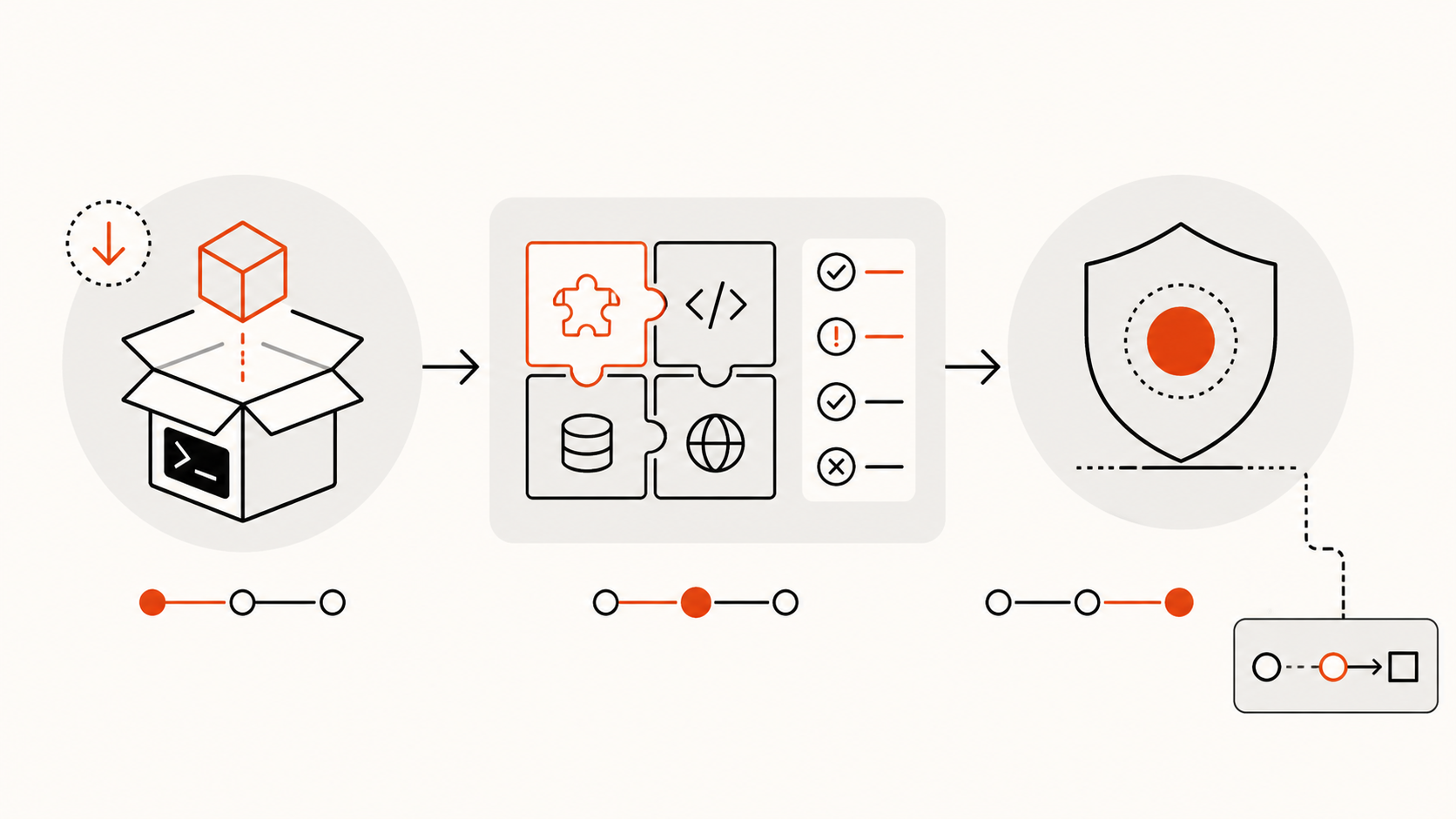
How do you install DeepSeek Harness from GitHub or npm?
The repository README documents two paths. The npm path is the shortest route for a first evaluation. The source path is better when you need to inspect the code, pin a commit, or contribute changes.
Option 1: install the published npm package
The pinned README gives this basic sequence:
npx @deepseek-ai/dsh web
The README says this starts the Web UI at http://127.0.0.1:3080 by default. The exact package and command names should be checked against the current README before every install because this is a fast-moving preview. If the command changes, use the repository's documented invocation rather than guessing a replacement.
This path is convenient, but it creates a version boundary outside your Git checkout. Record the resolved package version in your evaluation notes, and avoid silently upgrading it halfway through a comparison. A reproducible test is more useful than a newer but undocumented result. If you need a repeatable run, prefer a lockfile-backed environment or a pinned source checkout.
Option 2: run from a source checkout
For source-based evaluation, clone the repository and install its workspace dependencies at the pinned revision:
git clone https://github.com/deepseek-ai/deepseek-harness.git
cd deepseek-harness
git checkout 47f943859bef60e4160492346772ded9b24f765a6
pnpm install
pnpm run build
pnpm dsh web
The README's source instructions are the authority for the available scripts. The checkout command above makes the evidence boundary explicit; it is not a promise that every later commit will use the same scripts. If a command changes in a later revision, update the pinned source and the notes together.
Before launching an agent session, inspect the plugin list, the permission model, and the configuration files included at the revision you chose. A plugin-first runtime changes the security boundary: installing an extension is not the same as installing a passive theme. A plugin may be able to add tools or connect to project resources.
How does the plugin-first architecture change the workflow?
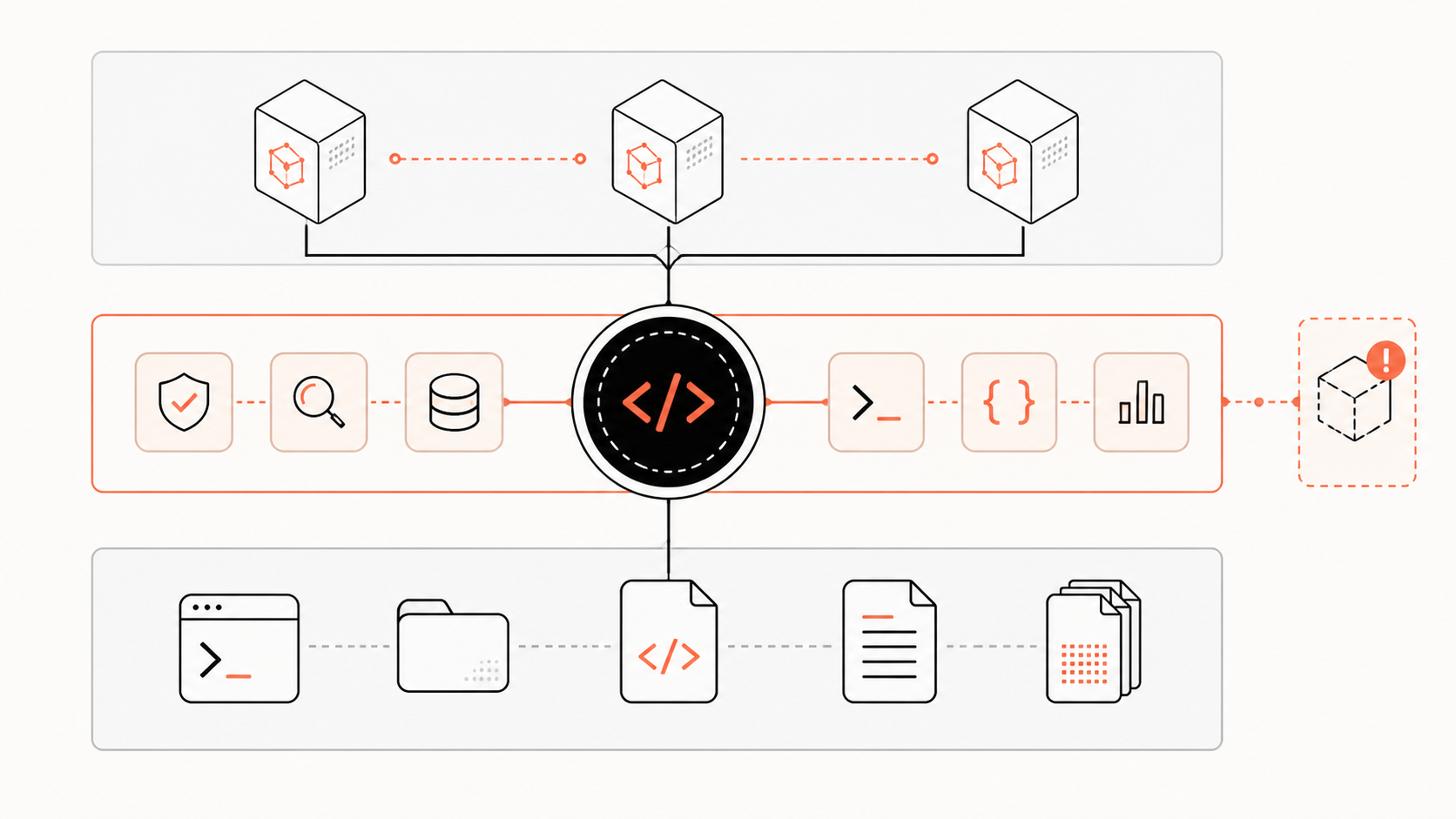
In a traditional coding CLI, the core application usually owns a fixed set of tools and integrations. DeepSeek Harness instead makes the extension surface part of the product model. The README describes capabilities as plugins, and the official page presents plugins as swappable or recomposable units.
That architecture can help in three ways:
- Narrow experiments. You can test one capability without treating the entire harness as a monolith.
- Composable workflows. A team can reason about a core session and the extra tools layered onto it.
- Visible boundaries. A plugin inventory gives you a concrete place to review what an agent can do before a task starts.
It also creates costs. Plugin APIs can change with the preview. Two plugins can make assumptions about the same session or tool name. A community plugin can be maintained by someone other than DeepSeek. The upstream MIT license does not turn every add-on into an upstream component.
Use a small evaluation project first. Record the harness revision, plugin names, permissions, model endpoint, and task prompt. If a result improves, repeat it from the same checkout before you attribute the improvement to the architecture.
The plugin boundary is also a useful review boundary. Before enabling an extension, ask what it can read, what it can write, whether it starts a process, and which network destinations it contacts. Keep secrets out of the first test workspace. A preview can be valuable without being trusted with production credentials.
What are the main limits and compatibility risks?
The first limit is lifecycle. The README says the project is in developer preview and warns about compatibility-breaking changes. That warning should appear in any internal adoption note because it affects installation, plugin maintenance, and incident recovery.
The second limit is evidence. The current RisingRepo snapshot shows unusually rapid movement. That signal explains why the project deserves inspection. It does not establish code quality or a performance advantage over Claude Code, Codex, Cursor, or another harness.
The third limit is scope. The repository documents the upstream harness. A desktop shell, a plugin marketplace, a third-party preset, or a downloaded model is a separate object with its own source, license, release process, and threat model. Keep those identities separate when you assemble a local stack.
The fourth limit is operational reproducibility. An npx run is easy to start but easy to forget. A source checkout is inspectable but requires more maintenance. Whichever path you choose, save the version and the command output that matters. Do not cite an unpinned terminal session as if it were a stable benchmark.
There is also a model-access boundary. The harness is the orchestration layer, not a blanket license or guarantee for every model endpoint used through it. Check the provider's current API terms, rate limits, and data-handling policy separately. If a plugin downloads a model, binary, or asset, record that component's provenance and license independently from the MIT repository.
Keep the first evaluation deliberately boring. Use a fresh workspace, a non-production branch, and a task whose expected output you can review line by line. Capture the commit or resolved package version, enabled plugins, environment variables, tool calls, and final diff. If the harness needs a permission you did not expect, stop and inspect the plugin before continuing. This record lets you distinguish a useful workflow from a lucky demonstration and gives you a rollback point when the preview changes underneath the experiment. That discipline matters more than a one-time successful demo.
For team handoff, save the test prompt beside the result and note which plugins were enabled before the run began. Record failures as well as successful completions, especially when a tool call needs a new permission or the preview changes a command. A compact experiment log makes later comparisons honest and prevents a polished first session from becoming an undocumented dependency.
Who should use it first?
DeepSeek Harness is a reasonable early experiment for developers who want to understand how a plugin-first coding agent behaves, are already comfortable with Node.js and package managers, and can isolate the evaluation from sensitive credentials. It is also a useful repository to study if you are designing agent extensions and want a concrete example of composability around a coding session.
It is a poor first choice for a team that needs a polished onboarding path, a locked plugin contract, or a single vendor-supported desktop distribution. The current evidence supports a preview evaluation, not a universal recommendation.
For a fair test, select three tasks with different risk profiles: a read-only repository explanation, a small file edit with tests, and a task that would normally require external tools. Compare completion, recovery behavior, tool visibility, and review burden. Label the result as your own evaluation. Do not convert the README or a RisingRepo rank into a benchmark claim.
Frequently asked questions
What is the best coding harness for DeepSeek?
There is no evidence-based universal winner in this snapshot. DeepSeek Harness is the most direct option to evaluate when you want DeepSeek's own plugin-first preview and are willing to accept breaking changes. Other harnesses may be a better fit when your priority is a mature interface, provider breadth, or a stable extension contract. Choose by task, permissions, recovery behavior, and maintenance cost rather than by RisingRepo stars.
Is DeepSeek Harness open source?
The GitHub repository declares an MIT license and publishes its source, so the repository code can be described as open source under that license. That statement does not automatically cover third-party plugins, binaries, model weights, datasets, or media used with the harness. Verify each additional component separately.
Is DeepSeek Harness production-ready?
The available primary evidence does not support that conclusion. The pinned README explicitly calls it a developer preview and warns of compatibility-breaking changes. You can evaluate it in a controlled environment, but production adoption needs its own security, stability, rollback, and plugin-maintenance review.
Conclusion
DeepSeek Harness is interesting because it turns a sudden repository surge into a tangible software question: what happens when a coding agent treats its capabilities as plugins? The answer is promising for experimentation, but the current evidence is equally clear about the trade-off. Install it from a pinned source or recorded package version, review each plugin, and keep a fallback workflow. The +66 RisingRepo signal is a reason to look; the developer-preview warning is the reason to proceed carefully.
Explore this topic
Related posts
How to Control an iPhone with an AI Agent Using Phone Harness
See how Phone Harness connects an AI agent to a real iPhone through macOS iPhone Mirroring, including setup, OCR, HID input, permissions, and limits.

Symphony Context Engineering for Agents
Symphony context engineering helps autonomous agents use architecture, dependencies and prior decisions before implementation.

OpenAI Symphony Large Codebase Agents
Symphony large codebase agents need repository understanding, not just isolated autonomous implementation runs.

AI Agent Evaluation Framework for Production
Build a production AI agent evaluation framework with scenarios, traces, safety checks, regression controls and decision-ready metrics.

Open Source AI Agent Projects 2026? 8 Rising Repositories and One License Trap
Eight fast-rising AI agent GitHub projects, mapped by stack layer, license, maturity, workflow fit, and claims teams should verify.

Share Context Between Pi and Claude Code
Share context between Pi and Claude Code with AGENTS.md, a Claude import, tool-specific Skills, and revision-bound repo facts.
Latest posts
How to Control an iPhone with an AI Agent Using Phone Harness
See how Phone Harness connects an AI agent to a real iPhone through macOS iPhone Mirroring, including setup, OCR, HID input, permissions, and limits.

Symphony Knowledge Graph for Agent Memory
Symphony knowledge graph workflows can give long-running coding agents durable repository memory and system context.
What Is Cowart? A Codex Plugin for Image Editing
Cowart is a third-party Codex plugin that uses a local infinite canvas for visual annotation and image-editing workflows.

Trae Context Engineering for Agents
Trae context engineering gives AI coding agents project rules, architecture context, and repository evidence before complex edits.

Trae Knowledge Graph for Developers
Trae knowledge-graph workflows add repository intelligence beyond IDE chat context and code indexing.

Trae Large Codebase Context: What an IDE Agent Can Actually See
Trae large-codebase work depends on code indexing, workspace context, and structured repository knowledge—not a single oversized prompt.